YOUR PEOPLE, TOGETHER
Every conversation.
One familiar place.
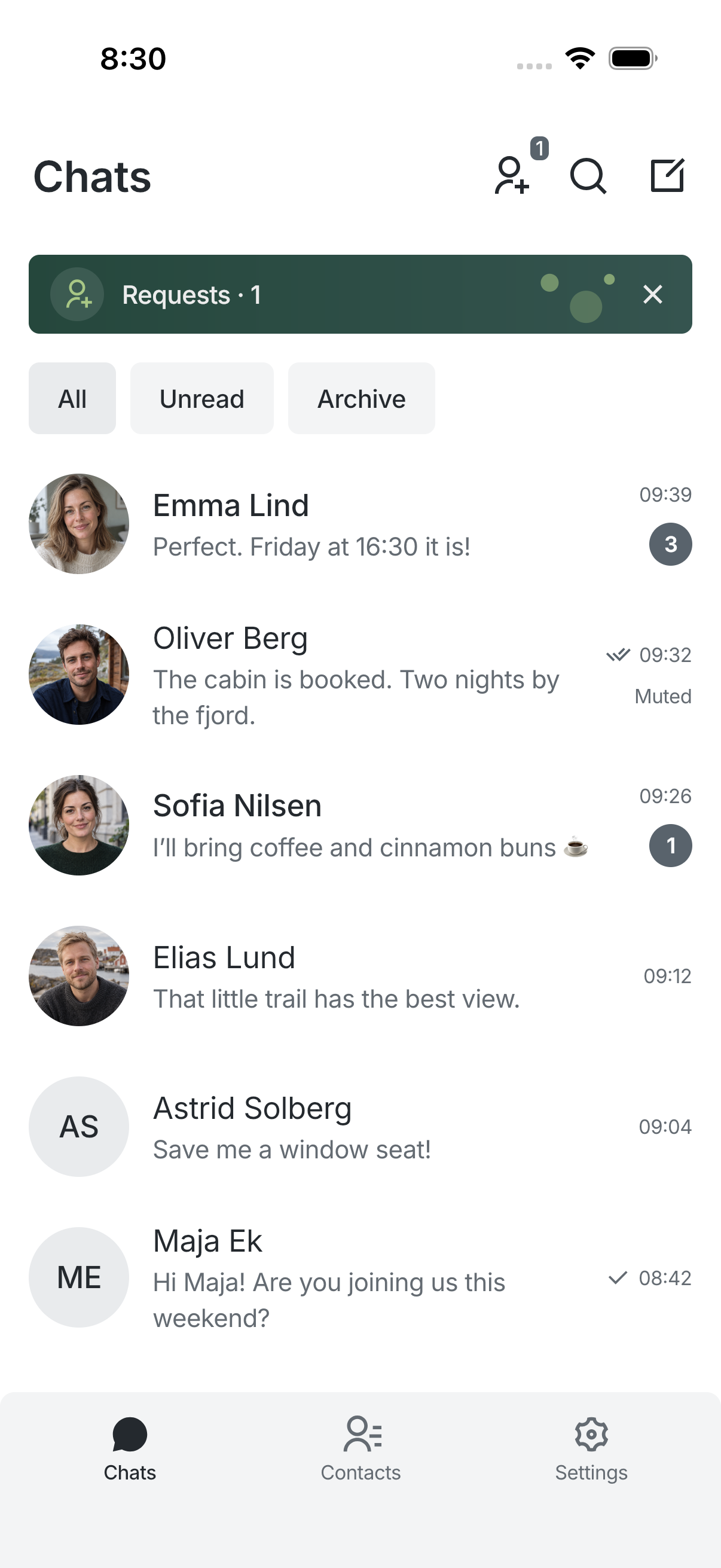
Your chats, requests and contacts, with room for the people who matter.
- A separate contact book
- Archive and mute
- Sent and read information
THE MESSENGER FOR YOUR WEBSITE
A message. A voice note. The file you promised to send.
Bring your website’s conversations into their own app.
Available on Google Play · iPhone beta on TestFlight.
Click to advance. Use arrow keys to choose a screen. Press Space to pause or resume automatic slides.
YOUR PEOPLE, TOGETHER
Your chats, requests and contacts, with room for the people who matter.
EXPLORE THE DETAILS
Start with a conversation. Explore the details at your own pace, from the people you talk to to the way your chats feel.
KEEP THE CONVERSATION FLOWING
Review a first hello, reply to a specific message, or check when it was read. Useful details stay close to the conversation.
A PLACE FOR YOUR PEOPLE
Keep contacts separate from chats. Search your conversation history, and put quieter conversations aside for later.
MAKE YOURSELF AT HOME
Choose an appearance that suits you, give your chats a personal background, and keep temporary storage under control.
MORE ROOM FOR YOUR EVERYDAY
Explore what Narzan can do. Some features need a compatible version of Messenger on your website.
Switch between compatible website accounts without mixing their history, drafts, cached media or notification settings.
Each account has its own local data.
Your website password stays on your website.
Notification taps open the account they belong to.
Direct and group conversations, replies, reactions, forwarding and pins are available when the connected Messenger website supports them.
Create a group, manage members and share an image on compatible sites.
Find messages beyond the currently visible part of a chat.
Share photo albums, files and voice notes. Open photos in the native viewer.
Recent history and media are cached privately on the device. Protected drafts and a pending-message outbox help you continue after an interruption.
Text and reply drafts are saved locally for up to seven days.
Review pending items and retry deliberately; optional foreground retry requires consent.
Choose what to clear and set a cache limit.
Connect your own OpenRouter key and a compatible model in Settings. Nothing is sent to an AI provider until you choose an action and confirm.
Talk to a clearly labeled assistant.
Translate selected or loaded messages without changing the originals.
Request a voice-note transcript with a supported model. Provider fees and policies apply.
Calls are off by default. Enable them separately for a compatible account in Settings → Calls. The connected website must provide the required services.
Availability varies by website and device.
Calls may fail or be interrupted. Use another service when reliability is essential.
The Calls tab appears in the app only after you enable it.


THE MODULE BEHIND THE APP
Messenger brings private messaging to your ProcessWire website. Narzan brings those same conversations to iPhone and Android.

Your account stays with your website. Narzan is the app you use to keep talking.
Private one-to-one chats on your website and in Narzan.
Your site decides whether new conversations start directly or as requests.
Blocking, reporting and moderation stay under the website’s control.
FROM YOUR WEBSITE TO THE APP
Enter your website, sign in through its browser, and return to Narzan. First-contact rules continue with you.
How to connect App screens shown below.Narzan requires a compatible HTTPS website with Messenger mobile access enabled. ProcessWire and Messenger are separate from the Narzan app.
CONNECT YOUR WEBSITE
Connect up to five accounts on compatible HTTPS websites. Switch between them in Settings; each account keeps its own conversations, drafts, cache and notification preferences.
You need an account on a compatible website. Narzan does not create a separate messaging account.
Use the address of a website with compatible Messenger mobile access enabled.
Sign in on your website, review the device request, then return automatically to Narzan.
Open a chat, find a site contact, or send a first message according to the website’s rules.
CLEAR ABOUT PRIVACY
Narzan is the client. The website you connect to stores messages and files and sets the rules for access, retention and deletion.
Read the privacy policyDevice credentials use the platform’s secure storage.
HTTPS protects transport. Messages are not end-to-end encrypted.
Handle requests, mute chats or block a person from the conversation menu.
COME TRY NARZAN
For people with an account on a compatible Messenger website. Download for Android or try the iPhone beta with TestFlight.
Try the iPhone version through TestFlight. Available builds and places depend on Apple’s beta review.
View TestFlight invitationDownload Narzan for Android from Google Play.
Get Narzan on Google PlayInvitations are not a guarantee of an available build. Message updates and notifications currently work while the app is open.
WHY NARZAN?
Our name is inspired by a traditional reading of Narzan: “drink of the heroes.” A nod to the Narts, the legendary heroes of Caucasian epic tradition.
Today, it’s about showing up for your people. A quick hello. A shared plan. A conversation that keeps you close.
A messenger for everyday heroes.

A FEW THINGS TO KNOW
How Narzan connects, what’s included, and what the beta can do today.
Need a hand with your website?
Get helpYou need a compatible ProcessWire Messenger website with mobile access enabled, plus an account on that website. An ordinary website address or an account on another messaging service will not work.
No. Sign-in opens the website in your system browser. After you approve the device, you return to Narzan with an authorized session.
No. HTTPS protects data in transit, but the connected website stores and processes messages. Read its privacy policy as well as Narzan’s.
Yes, on compatible websites with message push configured, and after you allow notifications. Availability depends on the connected website, your device and system settings. You can mute individual conversations or adjust notifications per account.
Yes. Narzan has 36 application languages, light/dark/system themes, accent choices, text-size controls and local chat backgrounds. English is the initial application language.
Message deletion and auto-delete follow your website’s permissions and retention rules. Contact that website’s operator for account or server-data removal. Narzan’s privacy page explains local data and support options.
Narzan is available on Google Play for Android. The iPhone version is available through TestFlight while App Store review continues. TestFlight availability depends on approved builds and available places. Narzan is intended for adults aged 18 or older.
KEEP THE CONVERSATION CLOSE
A dedicated place for the messages, moments and plans you share. Take Narzan with you.
An account on a compatible Messenger website is required.
Need a hand? messenger@narzan.com
